
FreeTube
YouTube without ads
About this APK
Play videos online with a simple, distraction-free experience. FreeTube lets you enjoy videos without interruptions, so you can stay with the content you came for.
Key features
- 🚫 Ad-free playback — watch videos without interruptions.
- 🎵 Background playback — keep videos or music playing with the screen off.
The APK does not come from the Play Store, so Android asks you to allow the file and then to confirm. The buttons in the pictures are in English, as they appear on the device.
When the download finishes, open the file. The installation steps are right below.
How to install
Ten gestures, in the order of the pictures.
-
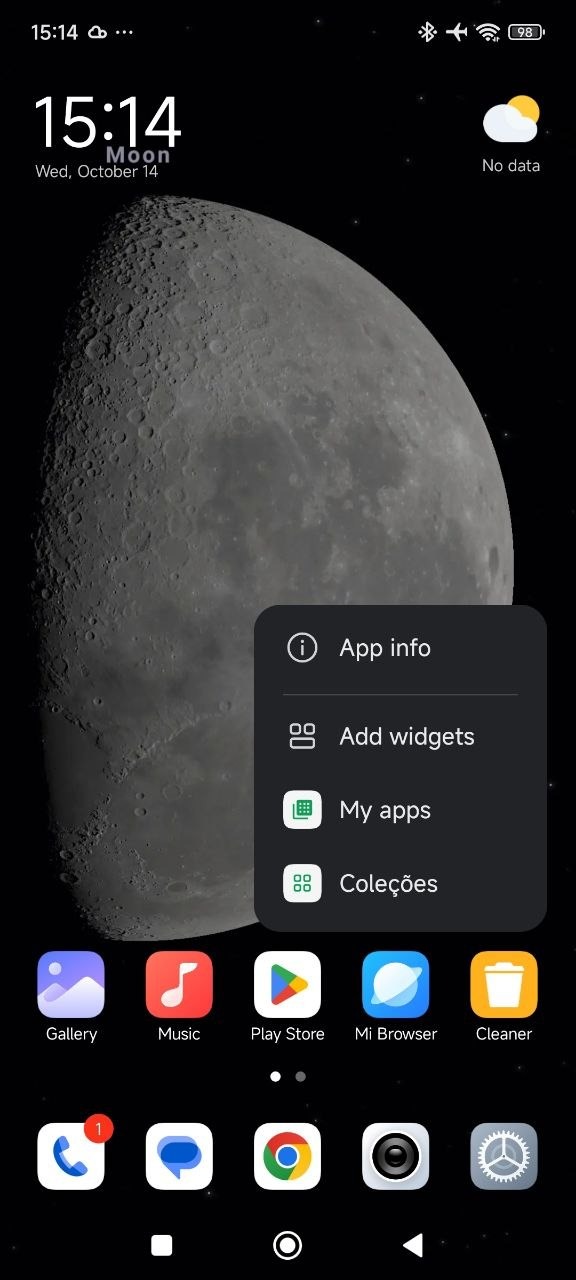
1 Open the Play Store's info
On the home screen, press and hold the Play Store icon until the menu opens. Tap App info.
-
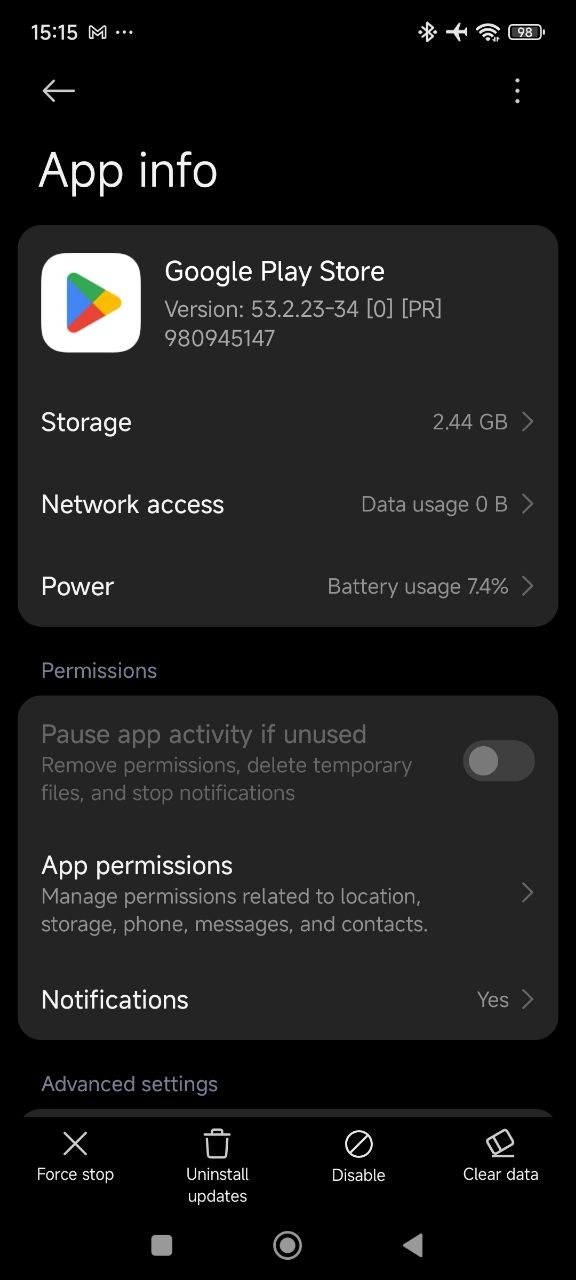
2 Remove the Play Store updates
On the app's info screen, tap Uninstall updates along the bottom and confirm. The Play Store itself stays on the phone. Only the updates are removed.
-
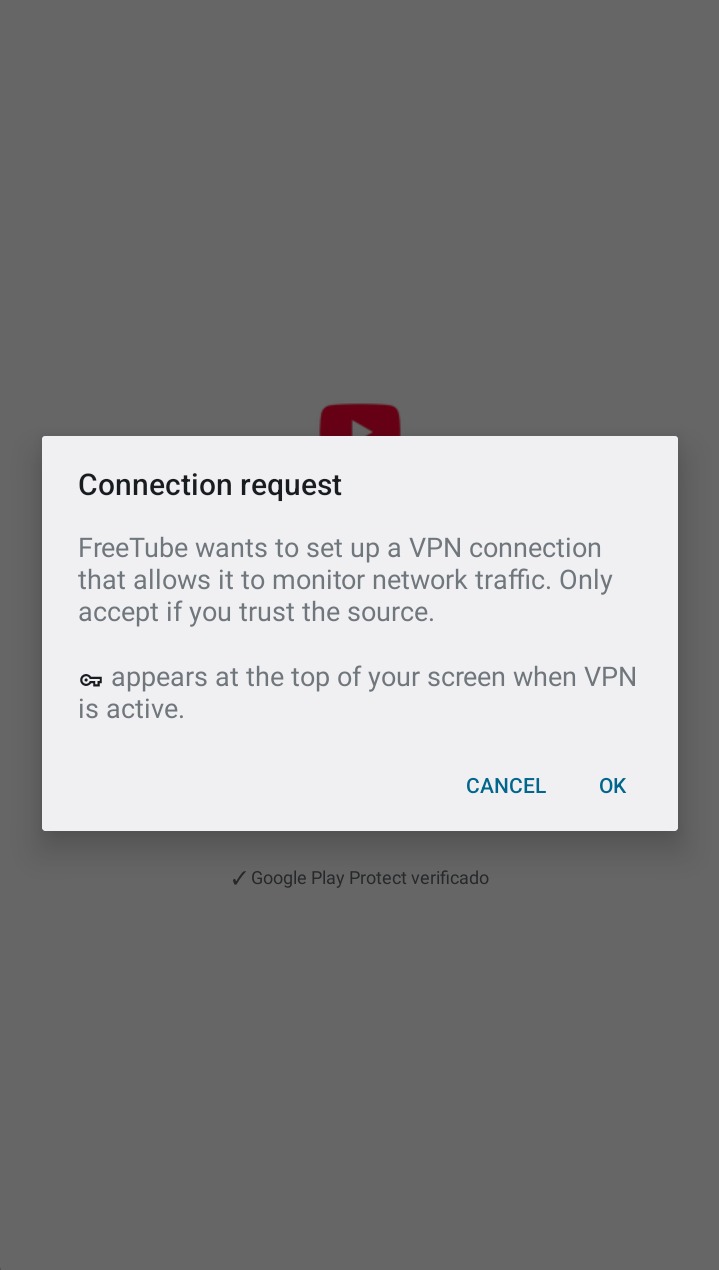
3 Accept the connection
FreeTube asks to set up a connection so it can watch network traffic. Tap OK.
-
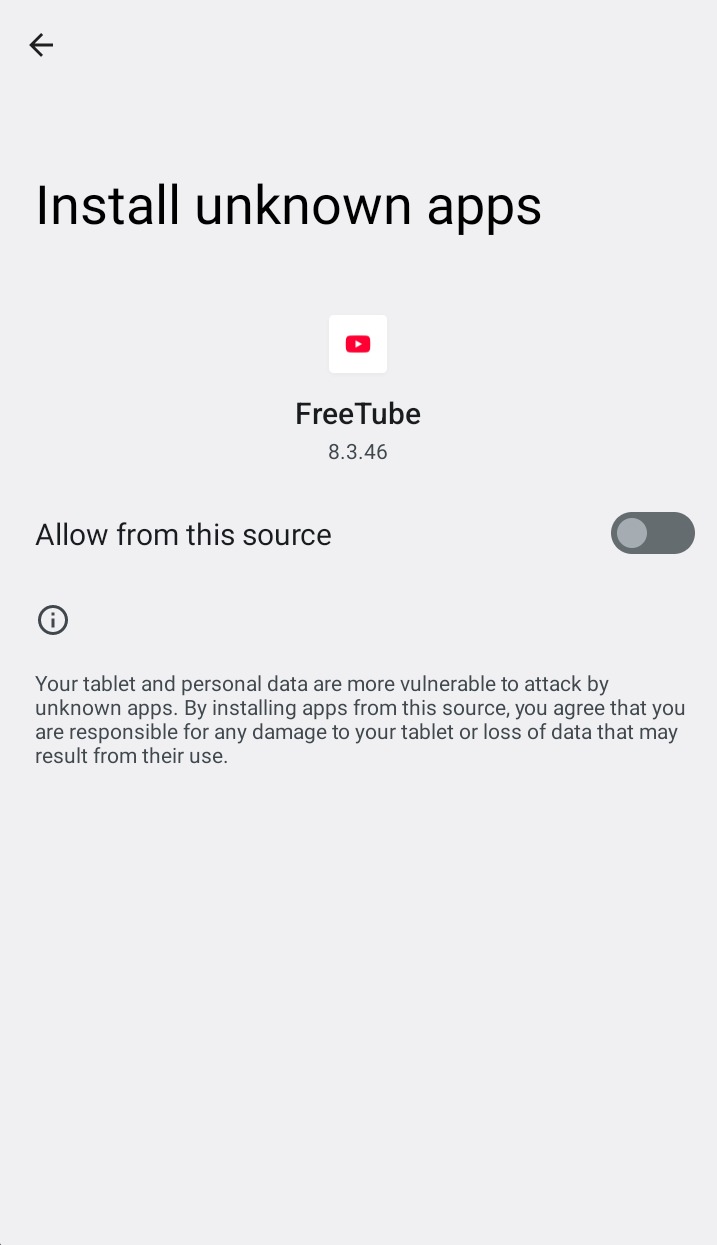
4 Allow installation from here
Open the FreeTube APK. Android shows Install unknown apps, already naming FreeTube. Turn on Allow from this source. That switch is what lets the phone accept the file.
-
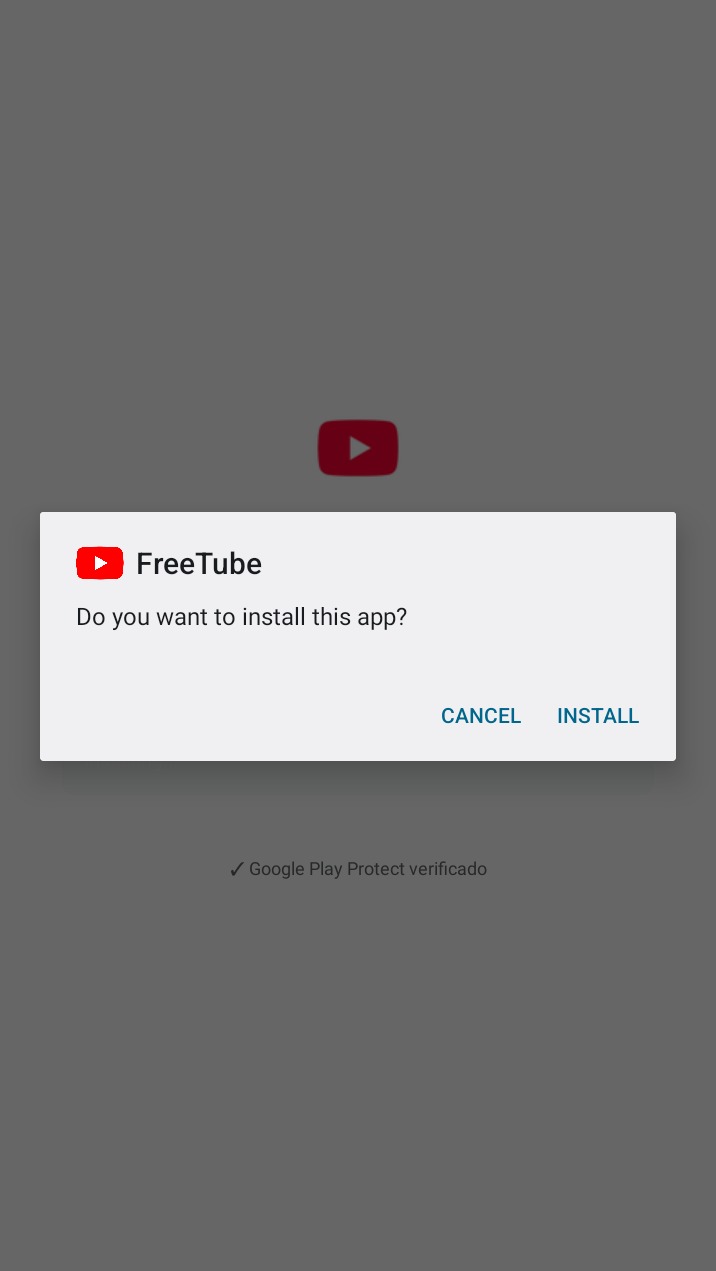
5 Confirm
When Android asks, tap INSTALL. The Play Protect line means the check has finished and you can continue.
-
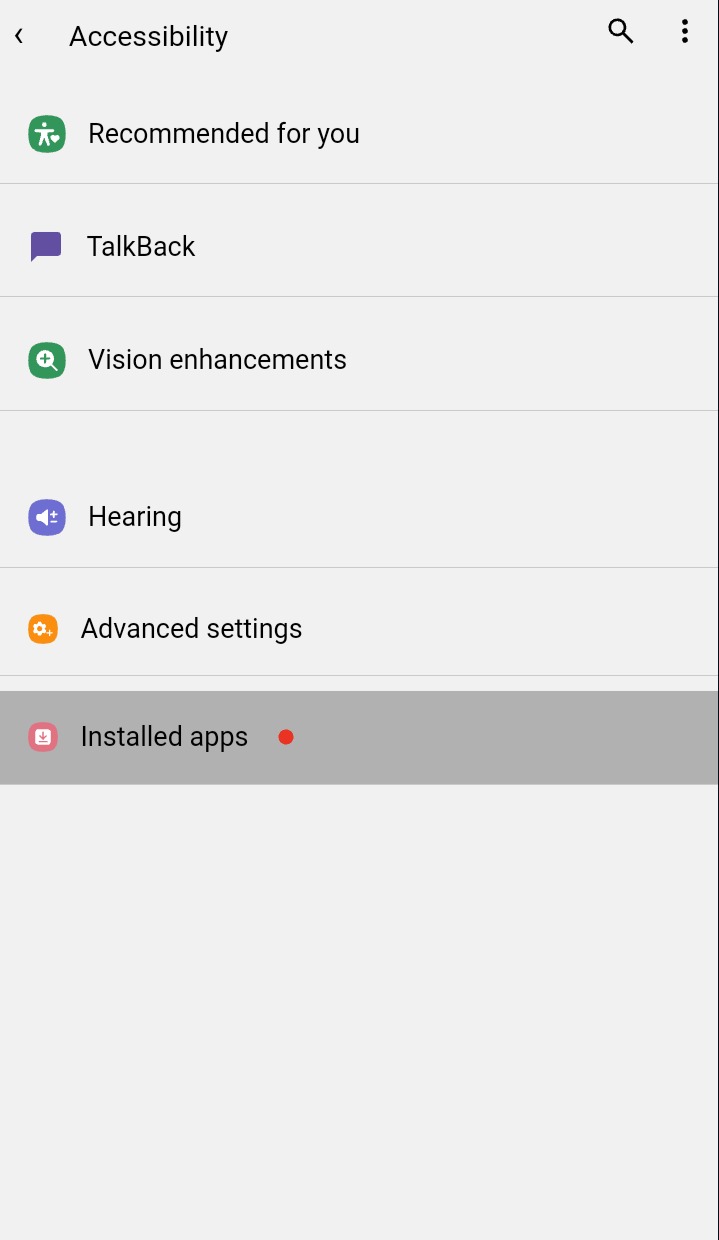
6 Open Installed apps
Open Settings, go to Accessibility, and tap Installed apps.
-
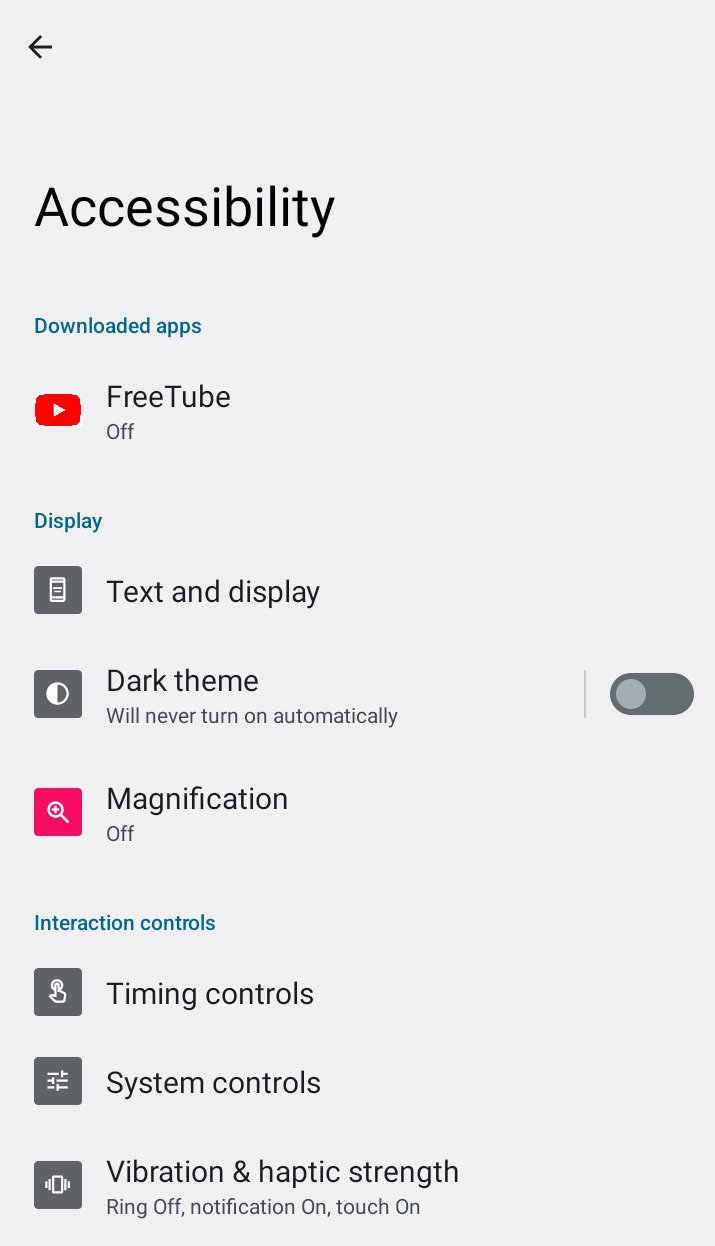
7 Open FreeTube
On the Accessibility screen, under Downloaded apps, tap FreeTube. It still says Off.
-
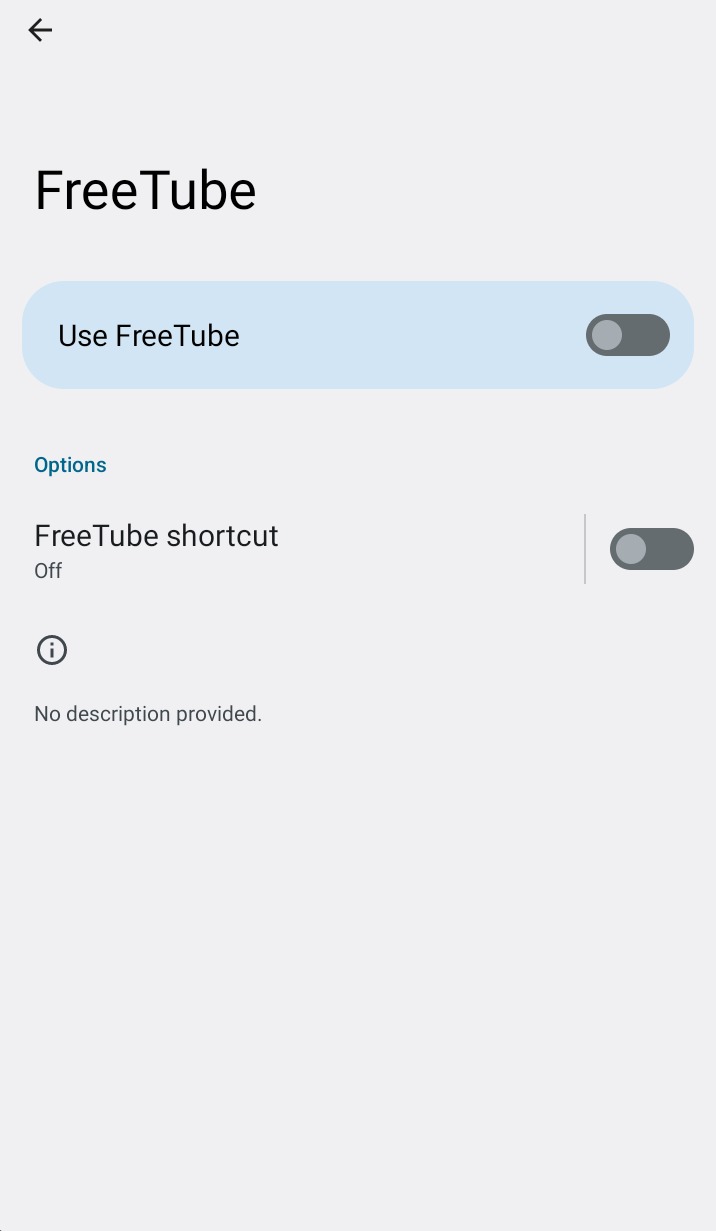
8 Turn Use FreeTube on
Switch on Use FreeTube. Leave the shortcut off.
-
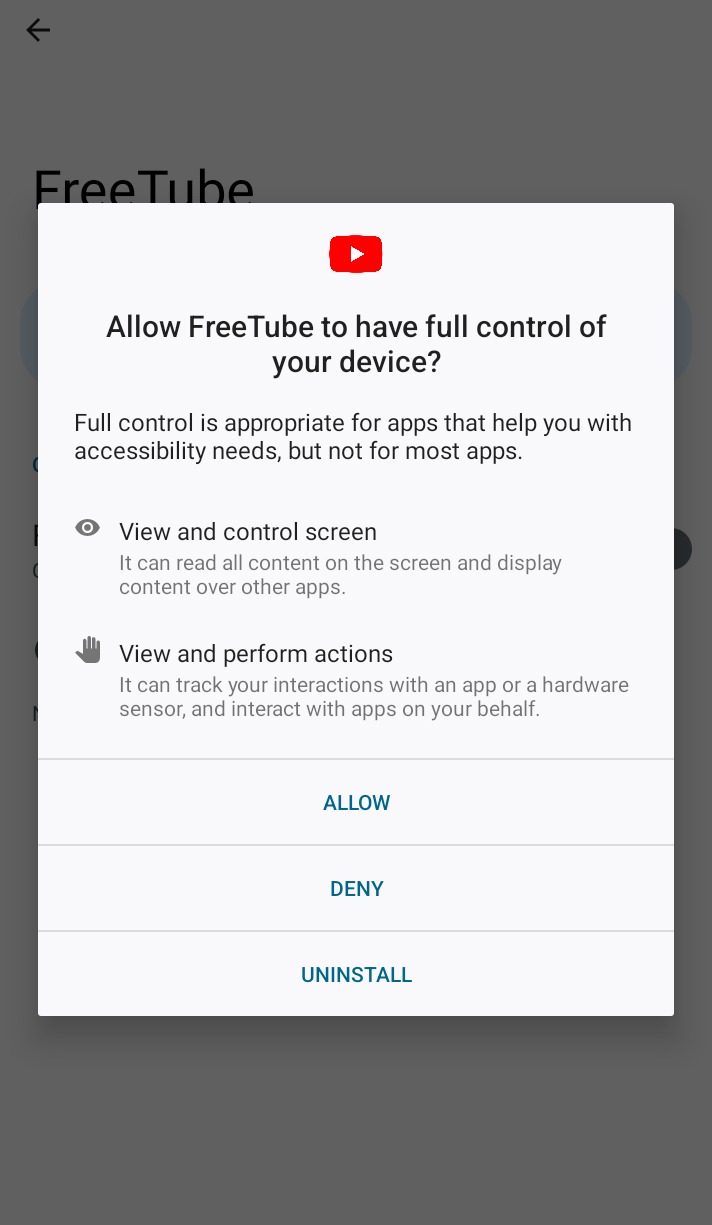
9 Allow control of the device
Android asks if FreeTube can view and control the screen. Tap ALLOW.
-
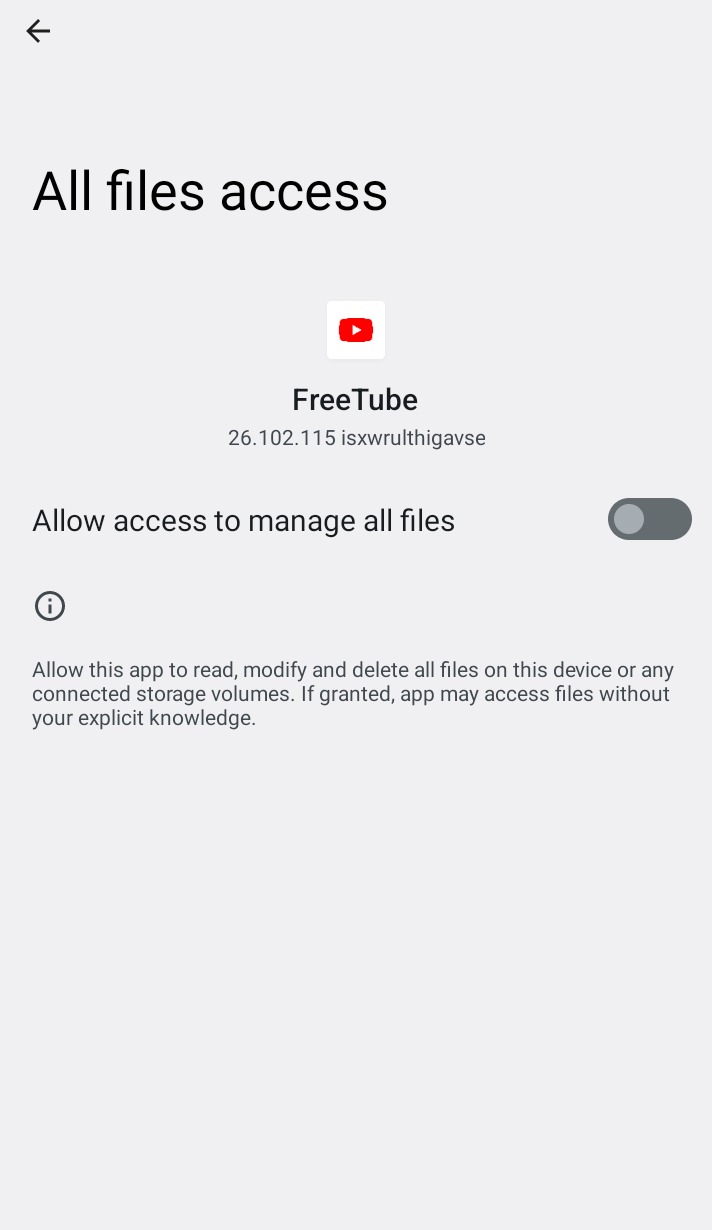
10 Allow access to every file
On All files access, switch on Allow access to manage all files.
Data safety
Here you can find more information, provided by the developer, about the types of data this app collects and shares, and the security practices it follows. Data practices may vary based on the app version, how you use it, your region, and your age. Learn more
No data shared with third parties
The developer says this app does not share user data with other companies or organizations. Learn more about how developers declare sharing.
Data collected
Data this app may collect
- Files and docs Files and docs
- App info and performance Crash logs and Diagnostics
Security practices
- Data is encrypted in transit Your data is transferred over a secure connection
- You can request that data be deleted The developer provides a way for you to request that your data be deleted
To learn more about the data collected and shared, see the developer's privacy policy
Ratings and reviews
Great app! It is infinitely better than YouTube, which plays an ad every 5 minutes. It is easy to use. There are no ads, except at the start and one ad about every 20 minutes when you leave or open a video, and you can use it in the background. A great feature lets you listen to music even with the device switched off. I am not writing this because I was forced to. I am writing it out of pure sincerity, and I recommend that you download it.
12,763 people found this review helpful
Horizon, thank you so much for your support. We will keep improving so we can offer users a better experience!!😍👏🧡
I was only looking for an app to play videos on my phone in the background, but I never imagined I would find something this good. It is like having YouTube, an mp3 player, and an mp4 player, except all of them are very good and work perfectly. The only thing that bothered me a little was not having a repeat option for the videos downloaded on my phone, and the way they are organized in the app. It is still incredible. Congratulations.
8,566 people found this review helpful
Infinitely better than YouTube! No ads, a pop-up mode where you can leave it in a window and watch while using other apps, a mode that plays only the sound of the video, which helps if you just want to hear a video or use those rain videos to fall asleep, and it works with the screen locked, which is great! Absolutely incredible. Congratulations to the team! The only thing I have not learned yet is how to resize the picture to a size I want.
9 people found this review helpful